School Picture Day Workflow Mastered — A Photographer's Guide to Efficient Volume Portrait Sessions
TK Broecker / 2 August 2026
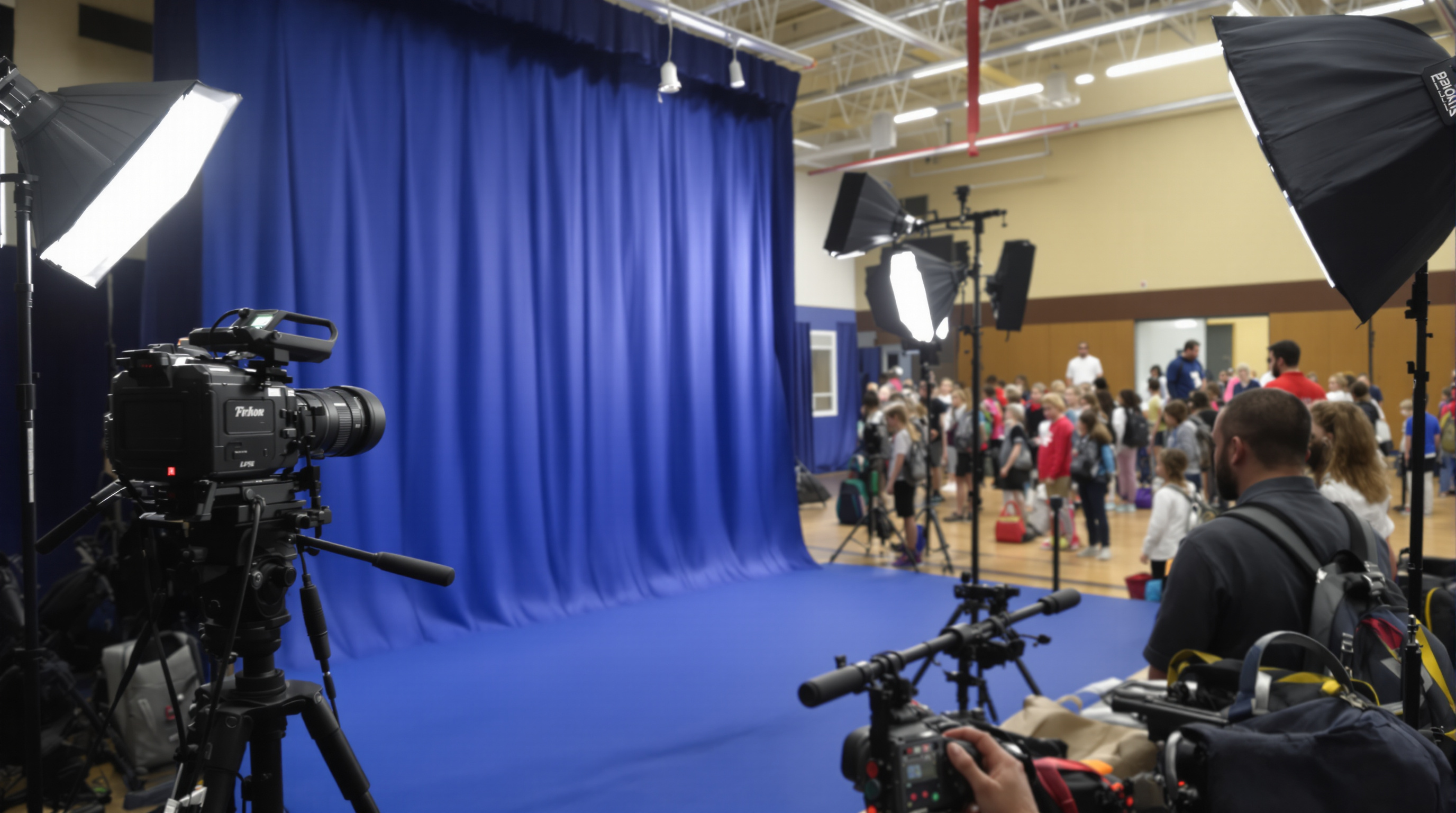
School picture day is one of the most demanding — and rewarding — assignments in the world of volume portrait photography. Whether you're serving a single elementary school or running a multi-school operation across a metro area like Louisville, the difference between a chaotic day and a smooth one comes down to preparation, equipment, and repeatable systems. This guide breaks down everything you need to build a workflow that delivers consistent, high-quality results at scale.
Building Your Equipment Setup for School Portrait Success
Your gear is the backbone of your operation. For school portrait photography, reliability trumps creativity — you need equipment that performs the same way, shot after shot, for hundreds of subjects.
- Camera body: Choose a mirrorless or DSLR body with fast autofocus and a buffer large enough to handle continuous shooting. Canon, Nikon, and Sony all offer professional bodies well-suited to volume work. A backup body is non-negotiable.
- Lens: A 85mm f/1.8 or 70-200mm f/2.8 is the industry standard for flattering portraits. The compression minimizes distortion and keeps facial features proportional.
- Lighting: A two-light or three-light strobe setup with a main light (softbox or beauty dish), a fill or reflector, and a background light offers the clean, even illumination schools expect. Monolights with battery packs provide flexibility in gyms and cafeterias with inconsistent power access.
- Backdrop: Seamless paper (9-foot rolls) in classic blue, gray, or green is the traditional choice. Some photographers now offer composited backgrounds, which requires a green screen setup and a consistent post-processing pipeline.
- Tethering station: Shooting tethered to a laptop running software like Lightroom or Capture One allows you to do a quick quality-control check and flag images in real time.
Set up your station the evening before or at least 60–90 minutes before the first student arrives. Mark the floor with tape for the subject position and the camera position so every frame is consistent with no re-measuring between subjects.
Designing a Repeatable School Photography Workflow
Speed and consistency are the twin pillars of a successful school picture day. Your workflow should be designed so that every student gets the same quality of attention, regardless of whether they are the 10th or the 300th person photographed.
A proven workflow typically follows this sequence:
- Check-in and data capture: A dedicated assistant collects order forms or scans barcodes linked to student records. Using software like Photoday, Strawberry Jam, or Fotomerchant streamlines the connection between a student's face and their data from the very first moment.
- Grooming station: A mirror, comb, and lint roller set up just before the backdrop keeps hair and clothing tidy. This single step dramatically reduces retouching time later.
- Posing and shooting: The photographer focuses entirely on connecting with the student and capturing the shot. Aim for three to five frames per subject, including at least one natural smile and one directed expression. With a practiced team, you can achieve a pace of 8–12 students per minute.
- Image culling and linking: An assistant or second shooter immediately links the captured images to student records, either through barcode scanning or manual entry at the tethering station.
- End-of-day backup: Before leaving the school, back up all images to at least two separate drives. Data loss at this stage is catastrophic and unrecoverable.
Operational Tips for Efficient Multi-School Volume Days
Photographers operating in competitive markets — including volume portrait operations in Louisville and surrounding Kentucky communities — often manage several schools in a single week or even a single day. Operational efficiency at this scale requires thinking beyond the camera.
- Standardize your kit list: Create a laminated checklist for every piece of equipment and consumable (gaffer tape, batteries, memory cards, order envelopes) so nothing is ever forgotten.
- Modular set design: Use lightweight C-stands, collapsible softboxes, and backdrop systems that one person can assemble in under 20 minutes. The Westcott Rapid Box and similar products are popular for exactly this reason.
- Staff roles: Assign clear roles — a line manager who coordinates teachers and keeps students moving, a data entry assistant, and the photographer. Adding a fourth person as a floater to handle unexpected issues prevents bottlenecks.
- Communication with schools: Send a detailed PDF to the school coordinator at least one week in advance. Include your power requirements, room size needs, arrival time, and a schedule template. Schools that are prepared move students more efficiently.
- Retouching pipeline: Decide before the day whether you are offering basic retouching (blemish removal, flyaway hair) as standard or as an upsell. Build that decision into your post-production pipeline and pricing from the start.
In Louisville specifically, school picture day season runs heavily from late August through October as the academic year begins. Booking a mix of public, private, and charter schools across Jefferson County and surrounding areas like Oldham and Bullitt counties can keep a volume photography business sustainably busy throughout the fall.
Post-Production and Delivery Best Practices
The job does not end when the last student walks away from the backdrop. A fast, organized post-production workflow protects your reputation and keeps schools coming back year after year.
- Culling speed: Use Photo Mechanic for initial culling — its previewing speed is significantly faster than Lightroom and is the industry standard for high-volume workflows.
- Batch editing: Develop a Lightroom or Capture One preset that matches the lighting setup you shot with. Apply it as a starting point to all images and make individual corrections only where needed.
- Proofing and ordering: Online proofing galleries through platforms like Photoday allow parents to select packages, order prints, and pay online — reducing physical paperwork and manual order processing dramatically.
- Print lab partnership: Build a relationship with a professional volume print lab (such as Miller's Professional Imaging or ROES-compatible labs) that understands school portrait formatting, composite class photos, and memory mate templates.
- Turnaround time: Communicate a clear delivery window to the school — typically two to three weeks. Meeting that deadline consistently is one of the most powerful ways to secure repeat contracts.
School picture day photography is ultimately a service business as much as a creative one. The families and administrators you work with remember how organized and professional you were just as much as they remember the quality of the images.
Conclusion
A successful school picture day workflow is built on the right equipment, a disciplined on-site system, efficient post-production, and clear communication with schools and families. Whether you are just starting out in volume portrait photography or scaling an established operation in a market like Louisville, investing time in your systems — not just your gear — is what separates thriving school photography businesses from struggling ones. Plan thoroughly, execute consistently, and the results will follow.